


Interactive Learning Tools Comparison for Colleges

A student can click through a slide deck, answer every quiz question correctly, and still struggle to handle an ethical dilemma in a team meeting. That gap is why an interactive learning tools comparison should begin with the learning outcome, not the feature list. For higher education faculty, the real question is not which platform has the most buttons. It is which experience gives students a reason to think, speak, practice, and reflect.
The right tool can turn a quiet classroom into a place where students test decisions, hear competing perspectives, and connect course concepts to their lives. The wrong one can add another login without changing the learning. This comparison helps educators distinguish between popular tool categories and choose a format that supports meaningful participation.
Interactive Learning Tools Comparison: Start With the Outcome
Interactive learning is not one method. A live polling question, a branching simulation, a collaborative whiteboard, and a discussion board all ask students to do something. But they ask students to do very different kinds of thinking.
Before evaluating a platform, identify what students should be able to do by the end of the activity. If the goal is checking comprehension after a reading, a short quiz or polling tool may be enough. If students need to practice empathy, communicate through conflict, or weigh the consequences of an ethical choice, they need a more immersive setting with consequences and guided reflection.
This distinction matters especially in first-year seminars, leadership courses, MBA programs, and student success initiatives. Skills such as communication, self-awareness, cultural awareness, and ethical judgment are learned through application. Students need opportunities to make choices when the answer is not obvious, explain their reasoning, and learn from one another.
Four Tool Types and What They Do Best
Learning management system tools
Most institutions already have an LMS, making its quizzes, discussion boards, modules, and assignment workflows easy to adopt. These tools are valuable for organization, content delivery, deadline management, and low-stakes knowledge checks. They also provide a familiar home base for students and faculty.
Their limitation is that an LMS usually manages learning rather than creates an experience. A discussion prompt can invite reflection, but it does not automatically generate the urgency or social dynamics of a real decision. LMS activities work best when instructors need consistency, documentation, and straightforward assessment. They are less effective as the primary method for teaching interpersonal skills that require practice.
Polling and audience-response platforms
Polling tools are excellent for bringing every voice into the room quickly. An instructor can ask students to predict an outcome, choose between competing options, rate their confidence, or respond anonymously to a sensitive question. The results give faculty immediate insight into misconceptions and create an opening for discussion.
For large lectures, this is a meaningful advantage. A well-designed poll can move students from passive note-taking to active judgment in less than a minute. Yet a poll usually captures a moment, not a full learning journey. It identifies where students stand, but it may not show them what happens after they act on a decision.
Use polling when the goal is participation, formative feedback, or a productive first step into discussion. Pair it with peer conversation or a case-based activity when students need to work through the why behind their answers.
Collaborative workspaces
Digital whiteboards, shared documents, and collaborative mapping tools help groups make their thinking visible. Students can organize stakeholder perspectives, build project plans, analyze a case, or identify patterns across a set of ideas. These tools are particularly useful in courses where teamwork and process matter as much as the final answer.
The strongest collaborative activities have clear roles and a concrete task. Without structure, a shared workspace can become a place where one student types while everyone else watches. Faculty should provide a time limit, a decision students must reach, and a short debrief that asks teams to explain how they worked together.
Collaborative tools support communication and project management well. They are less likely to create emotional stakes on their own, so they often benefit from being paired with a realistic scenario.
Gamified simulations and scenario-based experiences
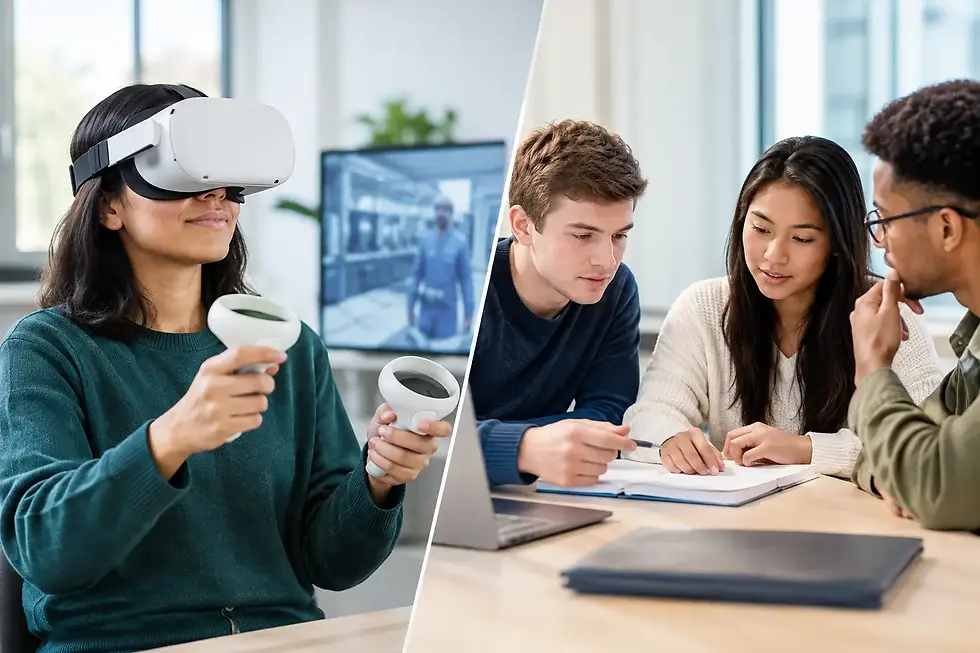
Simulations ask students to make choices in a situation that feels consequential. A student may need to respond to a difficult teammate, balance competing priorities, navigate a cultural misunderstanding, or decide how to address an ethical concern. The decision creates an outcome, and the outcome becomes material for reflection.
That sequence is especially powerful for professional and personal development. Students do not simply define empathy or ethics. They see how those concepts affect a relationship, a team, or a result. Because simulations make abstract ideas concrete, they can also lower the barrier to discussion. It is often easier for students to debate a character's decision before connecting it to their own habits and assumptions.
Gamified learning is not a replacement for instruction. It is a catalyst for richer instruction. The experience needs a thoughtful debrief, connections to course concepts, and space for students to articulate what they would do differently. E.I. Games uses this format to help educators bring emotional intelligence, leadership, and student success skills into active classroom practice.
Evaluate the Classroom Experience, Not Just the Platform
When comparing tools, faculty and program leaders should look beyond price, integrations, and visual design. Those details matter, but they do not tell you whether students will learn more deeply.
Ask how the tool changes the instructor's role. A strong classroom-ready experience should not require hours of technical preparation or force faculty to become game designers. It should give instructors enough structure to facilitate confidently while leaving room for their own expertise, examples, and discussion style.
Also consider the quality of student interaction. Does the tool prompt individual thinking before group influence takes over? Does it give students a reason to listen to perspectives different from their own? Does it create a useful tension that students can resolve through evidence, communication, or reflection?
Assessment is another practical consideration. Not every interactive activity needs a numeric score. For skills-based learning, a brief written reflection, a facilitated discussion, or a team action plan may reveal more than a multiple-choice result. The best assessment method depends on whether you are measuring recall, reasoning, collaboration, or behavioral intention.
Match the Tool to the Teaching Moment
A single course can use several interactive formats well. An LMS may organize the module, a poll may surface assumptions at the beginning of class, a simulation may create the central learning experience, and a reflection assignment may help students transfer the lesson beyond the classroom.
The mistake is treating every engagement challenge as a technology problem. If students are disengaged because they do not see the relevance of the material, adding more quiz questions will not solve it. If discussion is shallow because students fear being wrong, a well-framed scenario or anonymous poll may create safer entry points. If students understand a concept but cannot apply it, they need practice with decisions and consequences.
For program directors, consistency also matters. A tool that works beautifully for one enthusiastic instructor but cannot be adopted across multiple sections may have limited institutional impact. Look for experiences that are easy to facilitate, aligned to learning outcomes, and flexible enough for different disciplines and student populations.
A Better Standard for Engagement
Engagement is not simply activity. Students can click, post, and complete tasks without becoming more capable. Meaningful engagement occurs when students are mentally present, socially involved, and able to connect an experience to a future decision.
That is the standard worth using when selecting interactive learning tools. Choose the format that gives students more than content to consume. Give them a situation to navigate, a perspective to consider, and a reason to practice the skills they will carry into classrooms, careers, and communities.
A helpful next step is to choose one upcoming lesson where students need to apply rather than repeat. Build the activity around that moment of decision, then make time for the conversation that follows.

Comments